Camera AI
Shoot straight to a composition guide, with 100 face-filter presets across 8 styles built in.
What is Camera AI?
Camera AI is BeatShort's built-in capture tool — instead of guessing where to frame a shot, it overlays a composition guide directly on the viewfinder so your footage lines up with the beat template you picked before you even press record.
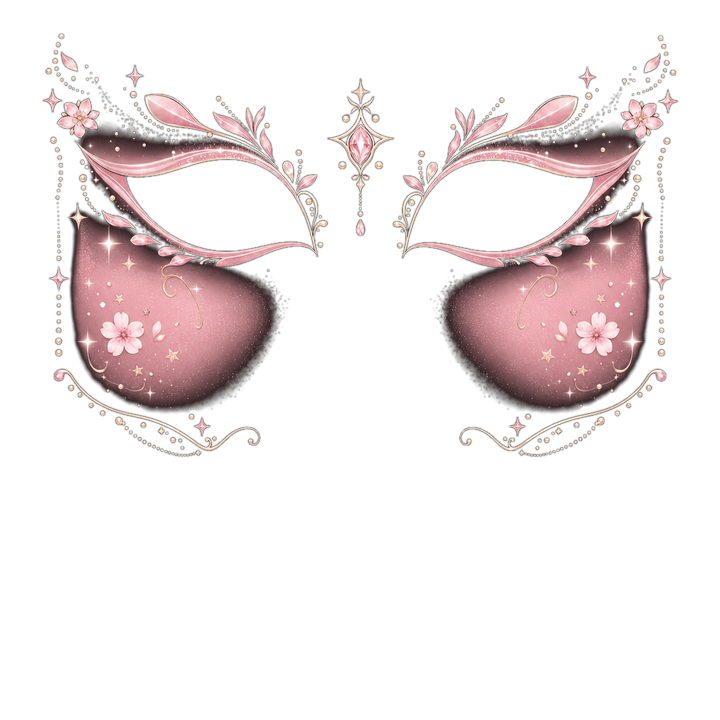
It also ships with 100 real-time face-filter presets across 8 style categories — a lot more than a generic 'beauty filter' toggle. Full Face has the deepest catalog (30 presets, from cartoonish looks like Full Clown and Pig Snout to Vampire Bite and Zombie Bride), and the other 7 categories — Beauty, Fantasy, Anime, Eyes Only, Half Face, Horror, and Joker — each carry 10 presets of their own.
A few examples by category: Beauty includes Glass Skin Beauty, Korean Glow Makeup, and Clean Girl Aesthetic; Anime includes Sparkle Anime Eyes, Magical Girl Sparkle, and Demon Slayer Style Marks; Horror includes Cracked Porcelain Doll, Glowing Void Eyes, and Plague Doctor Marks. Every preset is a layered overlay rendered live on the camera feed via ARKit face-mesh tracking, not a filter applied after the fact.
How it works
- 1
Pick a template first
Choose the Rhythm/Flow template you're shooting for — Camera AI reads its slot shape and overlays the matching guide.
- 2
Frame with the guide
Line up your subject against the on-screen guide so the clip drops into its beat slot without cropping surprises later.
- 3
Add a face filter (optional)
Browse the 8 style categories (100 presets total) and tap one — it renders live via face-mesh tracking so you see the exact result while shooting.
- 4
Capture
Shoot photo or video directly into your project; no separate import step.
Who it's for
TikTok/Reels creators
Nail the framing for a specific beat slot on the first take instead of re-shooting after editing.
Selfie & vlog creators
Use Beauty presets like Glass Skin Beauty or Clean Girl Aesthetic for a polished on-camera look without a separate editing pass.
Meme & comedy accounts
Joker (Chaos Smile Marks, Neon Jester Bells) and Full Face presets are built for exaggerated, high-energy comedic content.
Seasonal & trend content
Horror presets like Glowing Void Eyes and Plague Doctor Marks for Halloween content, or Anime presets like Demon Slayer Style Marks for anime-trend edits.
We haven't found a third-party tool that does this justice yet — check back once BeatShort ships.
FAQ
How many face filter presets does Camera AI have?
Do the face filters work on any iPhone?
Do face filters work in real time or only after export?
Can I use the composition guide without a face filter?
Related tools
Coming soon to the BeatShort app
BeatShort is still in development. Leave your email and we'll let you know the moment it's on the App Store.